For over a decade, Microsoft Project Online (PWA) has been the cornerstone of Enterprise Project and Portfolio Management (PPM). It has served thousands of organizations as a reliable hub for scheduling, resource management, and complex reporting. However, the era of “Legacy PPM” is drawing to a close.
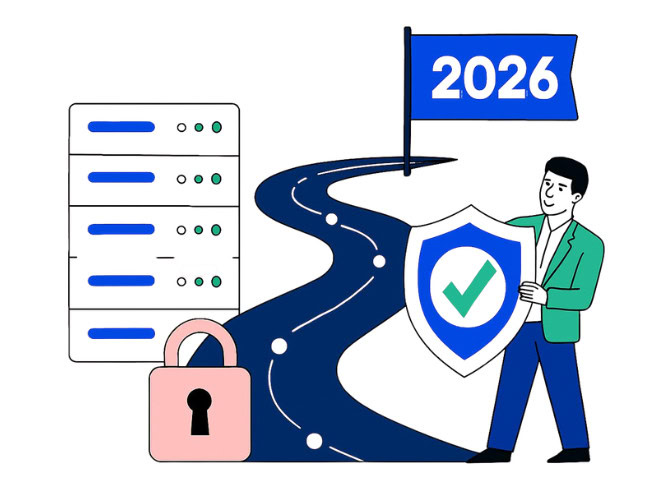
On September 5, 2025, Microsoft officially confirmed the retirement of Project Online. For IT Directors and PMO Leads, this isn’t just a notification—it is a deadline. Support for existing tenants will end on September 30, 2026, after which the service will be permanently decommissioned.
At ConnectPlans360, we believe this transition shouldn’t be viewed as a technical chore. Instead, it is a strategic opportunity to modernize your project delivery, shed legacy technical debt, and embrace the high-velocity “Systems Intelligence” of the modern Microsoft Cloud.
- The Timeline: Understanding the “When”
To build a migration strategy, you must first understand the milestones. Microsoft’s phased approach is designed to give enterprises time, but the window for a “stress-free” transition is narrowing.
- September 5, 2025: The official announcement of retirement.
- Late 2025 – Early 2026: Organizations can no longer purchase new Project Online-only licenses. This is the “Planning Phase.”
- September 30, 2026: The Hard Stop. Service ends. Data access is terminated. This is the “Cutover Phase.”
If you wait until mid-2026 to begin your migration, you risk project delays, data loss, and significant disruption to your executive reporting.
- Why is Microsoft Making This Shift?
The shift from Project Online to the new Microsoft Planner (Premium) and the Power Platform isn’t just a rebrand. It is a fundamental change in architecture.
Project Online was built on an older SharePoint-based architecture that struggled to keep pace with modern Agile and Hybrid workflows. The new ecosystem is built on the Microsoft Dataverse, allowing for:
- Real-time Collaboration: Native integration with Microsoft Teams.
- AI Integration: Leveraging Microsoft 365 Copilot for project health summaries.
- Flexibility: Moving away from rigid, “Waterfall-only” structures to fluid, squad-based planning.
- The “Low-Risk” Migration Roadmap
A successful migration requires more than just moving files; it requires moving processes. Here is the GLMS-recommended roadmap to transitioning your PMO using ConnectPlans 360.
Phase 1: Audit and Assessment
Before you move a single task, you must audit your current PWA environment.
- How many active projects are there?
- What custom fields, workflows, and “Project Site” content do you currently rely on?
- Which Power BI dashboards are pulling data from the OData feed?
Phase 2: Choosing the Target Architecture
Microsoft suggests moving to “Project for the Web” (now part of the new Planner). However, for many enterprises, the basic Planner interface lacks the “Enterprise” features they’ve grown accustomed to in Project Online—such as advanced resource capacity planning and centralized timesheeting.
This is where ConnectPlans360 becomes essential. It fills the “feature gap,” allowing you to use the modern Microsoft Planner interface while retaining the high-level governance, resource pools, and financial tracking of a robust PPM.
Phase 3: Data Migration and Cleansing
Do not “lift and shift” your junk. Use this as an opportunity to archive old projects and clean up your resource pool. ConnectPlans 360 facilitates a smoother data transition by mapping your legacy Project Online data into the modern Dataverse environment.
Phase 4: Pilot and Configuration
Build your new environment using the Project Accelerator combined with ConnectPlans 360. Configure your Stage-Gate workflows and security groups. Because ConnectPlans 360 uses Secure Login via Office 365, your internal security protocols remain intact.
- Why ConnectPlans360 is the Best Replacement
Many organizations fear that leaving Project Online means leaving the Microsoft ecosystem entirely. Moving to a non-Microsoft solution often leads to expensive integration “band-aids” and a fractured user experience.
ConnectPlans360 offers a “Best of Both Worlds” solution:
- Avoid Complex Migrations: We offer a seamless transition path that minimizes disruption to ongoing operations.
- Central Resource Pool Management: Unlike the basic Planner, we give you a centralized view of your entire workforce’s capacity.
- Advanced Governance: Access configurable registers for Risks and Issues, and maintain Stage-Gate workflows that keep projects compliant.
- Unified Timesheets: We provide the “One Timesheet” experience, allowing your team to update tasks across the Microsoft stack in a single, intuitive interface.
- Modernizing for the Future: Agile, Hybrid, and Beyond
Legacy tools often forced teams into a “Waterfall” box. Today’s projects are different. They are often Agile, led by SQUADs or Tribes, and require rapid iteration.
ConnectPlans360 supports these modern frameworks. It allows for Squad Planning and Resource Team Allocation, meaning you can manage your people based on percentage-of-time or specific skill-sets, rather than just rigid task assignments. By migrating to this modern platform, you aren’t just “replacing” a tool; you are upgrading your organization’s delivery velocity.
- The Cost of Inaction
What happens if you stay on Project Online until the final month?
- Security Risks: As the platform nears its end of life, patches and updates become less frequent.
- Resource Attrition: Top project managers want modern, AI-enabled tools. Forcing them to use a “clunky” legacy system can impact retention.
- Data Loss: If the “hard stop” date passes before your migration is complete, the cost of recovering that data (if even possible) will be astronomical.
- Conclusion: Take the Next Step Today
The 2026 Microsoft Project Online retirement should not be a cause for panic, but it must be a cause for action. By planning your migration now, you can ensure a seamless transition that preserves your historical data while unlocking the powerful capabilities of the modern Microsoft Cloud.
ConnectPlans360 is the premier choice for organizations seeking to elevate their project management. With its enhanced user experience, cost-efficiency, and scalability, it is more than a replacement—it is a transformation.
Ready to secure your PMO’s future?
Don’t wait for the last-minute scramble. The transition away from Project Online should be a strategic move, not a crisis.
Ready to see the modern alternative to Project Online in action? Request a Free Trial for a Migration Readiness Assessment. Let’s build your roadmap to 2026 together.