Project Desktop Integration with ConnectPlans360

Is your organisation still managing project schedules in desktop tools like Microsoft Project, only to find that data sits in silos — disconnected from your resource plans, timesheets, and financial reporting? Keeping desktop project files in sync with the rest of your portfolio is a time-consuming, error-prone challenge that slows decision-making. 


ConnectPlans360, as part of the Microsoft Preferred (PPM) solution, bridges the gap between your desktop project management tools and your organisation’s broader planning ecosystem. Seamlessly connect Microsoft Project desktop files to a centralised platform — ensuring your schedules, resources, and costs are always aligned, visible, and up to date. 

How Project Desktop Integration works with ConnectPlans360

Seamless Microsoft Project File Publishing

ConnectPlans360 allows project managers to publish their Microsoft Project (.mpp) desktop files directly into the platform without rebuilding plans from scratch. Task structures, milestones, dependencies, and resource assignments are all preserved during the publish process. This eliminates duplicate data entry and ensures that what the project manager sees in their desktop tool is exactly what stakeholders see in the portfolio view.

Bi-Directional Data Synchronization

Changes made in the desktop tool can be pushed back to ConnectPlans360, and updates from the platform — such as timesheet actuals, or task updates, resource assignments, or approved changes — flow back into the project schedule. This two-way sync keeps the project file and the central platform in perpetual alignment, so project managers are never working from stale data. .

Resource Assignment Mapping

When a project file is connected, ConnectPlans360 automatically maps the resources assigned in the desktop schedule to the central enterprise resource pool. This ensures that resource allocations, availability, and utilisation data are reflected accurately across the organisation — not just within a single .mpp file sitting on someone's desktop. .

Task Progress and Actual Updates

Resources can submit timesheet entries and task progress updates directly through ConnectPlans 360. These actuals are then reflected back into the connected desktop project file, automatically updating the percent of complete, remaining work, and actual hours. Project managers no longer need to manually chase updates or re-enter data from emails and spreadsheets.

Centralised Portfolio Visibility

Once desktop project files are integrated, they become part of the broader portfolio view within ConnectPlans360. Program managers and executives gain a consolidated view of all projects — including schedule status, resource utilisation, and financial performance — without needing to open individual .mpp files or request manual status reports.

Powerful Reporting with Power BI Integration

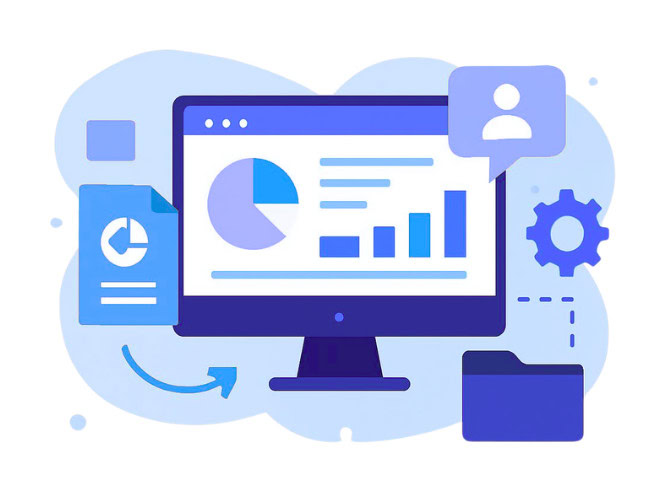
All data from connected desktop project files flows into ConnectPlans360's reporting layer, where it can be visualised through Power BI dashboards. Track schedule performance, milestone delivery, resource loading, and cost actuals in real time. Custom reports can be built for project managers, portfolio leads, and executive stakeholders — giving everyone the right level of detail at a glance.

Benefits of using Project Desktop Integration with ConnectPlans360

  • Eliminate Data Silos

  • Preserve Existing Desktop Workflows
  • Real-Time Schedule Visibility

  • Accurate Resource and Cost Tracking

  • Consolidated Reporting Across Projects

  • Reduced Administrative Overhead

CTP360
CTP360

Eliminate Data Silos

Centralise your project intelligence in one secure location.

ConnectPlans360 connects your desktop project files to the enterprise planning platform, ending the cycle of isolated .mpp files being emailed between stakeholders. All project data—including schedules, resources, costs, and actuals—lives in one centralised, accessible location. This ensures that every team member and decision-maker works from a single source of truth, regardless of how they prefer to manage their daily tasks.
CTP360
CTP360
Preserve Existing Desktop Workflows

Upgrade your capabilities without changing the way you work.

Organizations that have invested heavily in Microsoft Project processes do not need to abandon their established workflows. ConnectPlans 360 enhances what already exists: project managers continue using the desktop tools they know, while the platform handles the integration, reporting, and collaboration layers on top. This significantly reduces change resistance, shortens onboarding time, and protects the value of your existing project management practices.
CTP360
CTP360

Real-Time Schedule Visibility

Empower leadership with instant insights into project health.

Once a desktop file is integrated, portfolio managers and executives gain live visibility into schedule status without waiting for manual updates. Milestone completions, task progress, and timeline deviations are surfaced in real time through the ConnectPlans360 platform. This allows leadership to make proactive decisions and intervene early if projects begin to drift from their planned trajectory.
CTP360
CTP360

Accurate Resource and Cost Tracking

Gain full transparency over your budget and workforce.

By linking desktop project assignments to the enterprise resource pool, ConnectPlans 360 ensures that resource utilisation and cost data are always accurate. Over-allocations are immediately visible, and actual costs derived from timesheet submissions are automatically reconciled against the project budget. This removes the guesswork from financial reporting and prevents costly surprises at project completion.
CTP360
CTP360

Consolidated Reporting Across Projects

Move from manual data compilation to automated dashboards.

With all project data flowing into a centralised platform and Power BI reporting layer, preparing status reports becomes a matter of moments rather than hours. Project managers no longer need to manually compile data from multiple spreadsheets or files. Dashboards are always current, consistent, and presentation-ready, freeing up project managers to focus on delivery rather than administration.
CTP360
CTP360

Reduced Administrative Overhead

Automate the routine to focus on delivering high-value results.

The integration between desktop tools and ConnectPlans360 automates the most time-consuming parts of project administration—including data entry, status collection, and cost reconciliation. Teams spend less time managing information and more time delivering value. For organisations running large portfolios, this reduction in overhead translates directly into improved efficiency and lower operational costs.
Blog

Get Every Single Update From Here.

Solving the Resource Capacity Planning Crisis in a Post-Project Online World

In the ecosystem of enterprise project management, there is one asset more valuable than budget, and more finite than time: Human…
Read More

The 2026 Microsoft Project Online Retirement Roadmap: A Step-by-Step Migration Guide

For over a decade, Microsoft Project Online (PWA) has been the cornerstone of Enterprise Project and Portfolio Management (PPM). It…
Read More

Azure FinOps Guide: 5 Steps to Reduce Cloud Costs by 20%

In the modern enterprise, the "cloud" is no longer just an IT line item; it is the engine of the business. However,…
Read More

Want to Work with Us? Let’s Talk